Video content has become the most powerful form of digital communication today. From viral TikTok reels and YouTube tutorials to corporate presentations and social media ads, video is everywhere. However, traditional video editing software often requires expensive subscriptions, powerful computer hardware, and hours of technical training. This is where a modern online video editor changes the game.
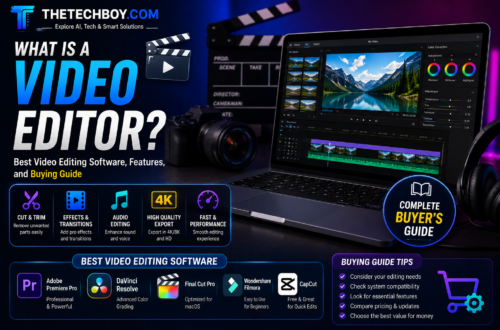
An online video editor allows you to edit, cut, enhance, and export high-quality videos directly inside your web browser. You no longer need a high-end graphics card or heavy software installations to produce clean, engaging videos.
In this comprehensive guide, we will cover everything you need to know about web-based video editors, how cloud processing works, the best free tools available, and essential techniques to create stunning videos effortlessly.
What Is An Online Video Editor And How Does It Work
An online video editor is a cloud-based application that brings traditional video post-production tools into your internet browser. Instead of utilizing your computer’s local processor and RAM to render videos, these platforms rely on high-speed cloud servers to handle heavy processing tasks.
When you upload your media files to a web editor, the server handles rendering, effect application, and video exporting. This allows users on low-spec laptops, Chromebooks, and even smartphones to produce high-resolution content without system lag.
Upload Raw Footage ──> Edit in Web Browser ──> Cloud Rendering ──> Download Finished Video
Key Advantages Of Using Web Based Video Editors
- No Software Installation RequiredSave disk space and avoid lengthy software updates. You can access your editing studio from any computer simply by logging into your browser account.
- Cross Platform CompatibilityWhether you are using Windows, macOS, Linux, or ChromeOS, cloud editors function identically across all operating systems.
- Cloud Storage And Easy CollaborationMany web editors allow team members to view, comment on, and edit video projects simultaneously from different locations around the world.
- Built In Stock LibrariesMost online video editing platforms offer integrated access to millions of royalty-free stock videos, background music tracks, sound effects, and graphics.
- AI Powered ToolsModern cloud editors leverage artificial intelligence to automate complex tasks like background removal, automatic subtitle generation, and smart video resizing.
Essential Features To Look For In An Online Video Editor
Not all web editing tools offer the same functionality. When choosing the right platform for your projects, look for these crucial features.
Timeline Multi Track Editing
A multi-track timeline allows you to layer videos, overlay images, insert text animations, and add multiple audio tracks effortlessly.
Automatic Auto Subtitle Generator
Captions are essential for social media engagement because many users watch videos on mute. Look for tools that offer fast, accurate AI-powered speech-to-text subtitling.
Drag And Drop Interface
An intuitive layout with drag and drop capabilities speeds up your workflow, allowing you to reorder clips, add transitions, and place overlays instantly.
Aspect Ratio Presets
Social media platforms require different screen dimensions. A good online editor should provide one-click resizing for landscape YouTube videos (16:9), portrait reels (9:16), and square posts (1:1).
Types Of Web Based Editing Platforms
Depending on your content creation goals, online video editors generally fall into three primary categories.
Simple Clip Trimmers And Converters
Basic tools built for quick edits like merging video clips, cropping borders, changing video speed, or converting file formats.
Social Media Content Creators
Specialized platforms optimized for short-form content. They feature pre-made templates, trendy text animations, dynamic filters, and royalty-free music libraries tailored for TikTok, Instagram, and YouTube Shorts.
Full Featured Cloud Video Studios
Advanced browser platforms designed for long-form YouTube videos, educational courses, and corporate video production with advanced color correction and audio editing features.
Top Free Online Video Editors In 2026
| Platform | Best Suited For | Top Feature | Free Version Limit |
| CapCut Web | TikTok and Instagram Content | Massive library of trending templates and AI effects | Free with optional cloud upgrades |
| Canva Video Editor | Marketing and Quick Presentations | Simple drag and drop graphics and brand kits | Free access with premium elements |
| Clipchamp | Windows Users and General Editing | Built-in screen recorder and native Microsoft integration | Free 1080p exports without watermarks |
| InVideo | AI Video Creation and Prompts | Generates videos from text prompts and scripts | Watermarked export on free tier |
| Kapwing | Team Collaboration and Subtitles | Excellent auto-subtitle generator and meme editing | Limits on export length for free users |
Step By Step Guide On How To Edit Videos Online
Editing a video online is straightforward even if you have zero prior editing experience. Here is a universal step-by-step tutorial.
- Choose A Web Platform And Sign InOpen your web browser and navigate to your chosen online video editor. Create a free account to save your project progress.
- Upload Your Media FilesClick the Import or Upload button to select video clips, photos, and voiceover files from your local drive, Google Drive, or Dropbox.
- Arrange Clips On The TimelineDrag your media onto the editing timeline. Trim away unwanted footage, cut out silent gaps, and arrange your clips in sequential order.
- Add Transitions Effects And Text OverlaysPlace transition effects between clips for smooth scene changes. Insert titles, lower-thirds, or automated subtitles to make your video clear.
- Insert Audio And Sound EffectsAdd background music from the stock library or upload your custom audio track. Adjust volume levels so your background music does not overpower dialogue.
- Render And Export Your VideoClick the Export or Download button. Choose your desired video resolution (such as 1080p Full HD) and wait for cloud servers to process your file.
Pro Tips For Better Video Editing In Your Browser
To achieve professional visual results while maintaining a fast workflow, apply these practical editing strategies.
- Organize Assets Before EditingGather all video clips, images, and brand logos into a single folder on your computer before uploading to save time during the editing phase.
- Use Keyboard ShortcutsMost web editors support standard editing hotkeys like S or C for splitting clips and Spacebar for play or pause. Learning shortcuts speeds up trimming significantly.
- Keep Text Clear And LegibleWhen adding titles or captions, use clean fonts with a dark drop-shadow or background box so viewers can read text easily over moving video background.
- Check Internet BandwidthSince web editors upload source footage to cloud servers, use a stable high-speed Wi-Fi or Ethernet connection to ensure smooth upload and playback.
Frequently Asked Questions
Are online video editors safe for private family or corporate videos
Yes, trusted online editing platforms utilize encrypted cloud storage protocols and keep your uploaded media files private within your password-protected account.
Can I export 1080p or 4K videos without a watermark for free
Tools like Microsoft Clipchamp and CapCut Web allow users to export clean 1080p videos without watermarks on their free tiers.
Do online video editors work on low end laptops
Yes, because rendering is performed on remote cloud servers rather than your local computer hardware, online editors run smoothly on basic laptops and Chromebooks.
What video format is best for browser video export
The MP4 container with H.264 video encoding is the recommended export standard due to its high quality, small file footprint, and broad web compatibility.
Using an online video editor is the fastest and most accessible way to transform raw video clips into polished, engaging stories. By choosing the right web platform and utilizing automated cloud features, you can create stunning videos directly from your browser without investing in expensive hardware or software.